
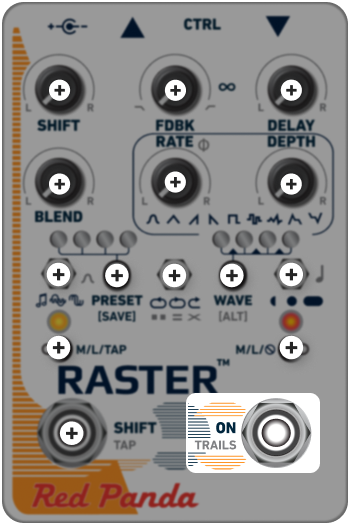
ON (BYPASS)
Turns the pedal ON/OFF.
Use the web editor, TouchOSC, or MIDI to choose from a variety of bypass modes to change how the effect is applied.
AUTO (Default) The pedal chooses DSP mode when the bypass switch is set to momentary, ANALOG mode when set to latching.
DSP Dry signal and bypass pass through DSP. Raster uses studio-quality A/D and D/A converters with low latency. This is a good choice in most situations.
ANALOG Dry signal passes through DSP when effect is on, and through buffered analog signal path in bypass. Depending on the input signal, there could be a small click when the effect is engaged.
ANALOG + FX LEVEL Dry signal passes through a unity-gain analog signal path. Useful if you want your dry signal to always be at unity gain, because the dry signal does not go through the A/D and D/A converters, and there is no latency.
KILL DRY Dry signal is always muted. Useful for wet/dry parallel effects chains and mixer aux sends. The BLEND knob acts as an effect level control, but keeps the same response as other modes.
TRAILS
Trails allow the repeats to decay naturally after the pedal has been switched to bypass. HOLD [ALT] and press ON to toggle the global trails setting on or off (on by default).
The right LED blinks green on startup to indicate whether trails are on or off:
ON (4 short blinks)
Echoes decay naturally after effect is turned off.
OFF (2 long blinks)
Echoes stop immediately when effect is turned off.
Trails can be turned on or off for specific presets using the web editor. By default, presets use the global trails setting.
If the ON footswitch mode is ø (mute output), trails are disabled so that you can hear the last phrase played while in bypass, without extraneous repeats.
You can also use the web editor or MIDI to change the global trails setting.