
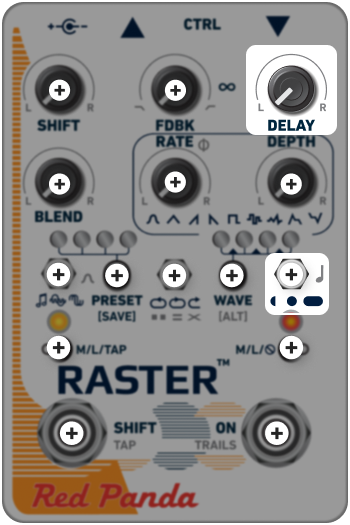

DELAY
The DELAY knob adjusts the delay time within one of four ranges.
Fast knob movements jump smoothly to the new delay time. Slow knob movements gradually change the delay time, with the Raster analyzing the signal to minimize glitches. By experimenting with the speed and range of knob movements with different signals, you can get "drag", time stretching and even glitchy stutter effects.
Use the righthand toggle to select a range:
-
 0 - 400ms
-
 0 - 800ms
-
 0 - 1600ms
Use MIDI, TouchOSC, or the web editor to access the fourth range, 0-3200ms.
The DELAY control is scaled to allow fine tuning of short delay times for resonant effects. The minimum setting has no delay (0 ms) when no feedback is used, for pure pitch shifting and amplitude modulation effects.
When feedback is used, the minimum delay time automatically increases. Delay time can also be set with external tap tempo via CTRL port, or by using the M/L/TAP toggle to configure the SHIFT footswitch for tap tempo.
DELAY OFFSET
Holding [ALT] and adjusting DELAY changes the offset or ratio between the left and right delay.
Turn the knob left or right to control which delay is heard first; turning the control counter-clockwise from 12:00 will shorten the left delay time, and turning the control clockwise will shorten the right delay time.
[ALT] DELAY settings close to 12:00 will add a small time offset between delay channels (0-30 ms). A small amount of offset can be useful for creating a sense of space and motion, as the repeats gradually separate or shear apart.
At higher settings, the delay times are set to ratios: 3:4, 2:3, 1:2, 3:8, 1:3, and 1:4. Once a ratio is set, moving the DELAY knob adjusts both delay times proportionally.