
FDBK
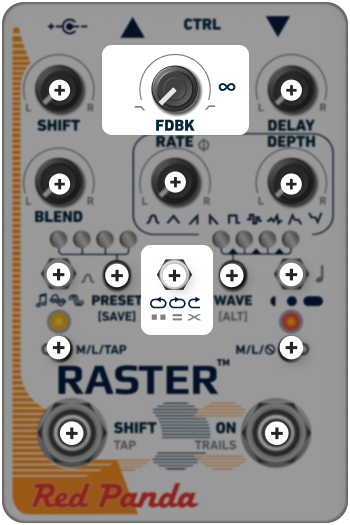
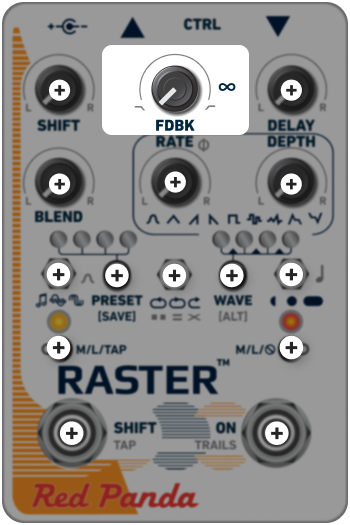
The FDBK knob adjusts the number of repeats in the delay line.
Infinite repeats occur at approximately ∞, with greater than unity feedback (self-oscillation) above that. The exact spot where self-oscillation occurs will depend on the input signal and tone control. Increasing FDBK beyond this point will add distortion.
The toggle switch selects whether the repeats are played forward or in reverse, and whether the pitch/phase/frequency shifting occurs inside or outside of the feedback path:
-
 REVERSE Reverse delay with continuously shifted repeats.
 -
 FORWARD Forward delay with continuously shifted repeats.
 -
 FORWARD ONCE Forward delay with repeats shifted only once.
Note: Reverse delay with repeats shifted once is available via web editor or MIDI CC.
Using the SHIFT control with continuously shifting repeats will suppress self-oscillation, except at very small shifts, because the signal frequencies are different each time through the feedback loop and are not reinforced. Using one of the single-shift feedback modes allows you to generate feedback and self-oscillation that is independent of the delay time.
FILTER
Holding [ALT] while adjusting FDBK offers a wide range of filter responses for darkening or thinning out the repeats as they decay.
Center the knob for clean repeats. This works well for sound-on-sound effects, or to emphasize picking, similar to some classic tape delays.
 Very dark repeats
 Dark repeats similar to analog delay
 Bright repeats (default)
 Bright with emphasis on attack (picking)
 Highpass filtered
 Bandpass "telephone" filtered