
SHIFT
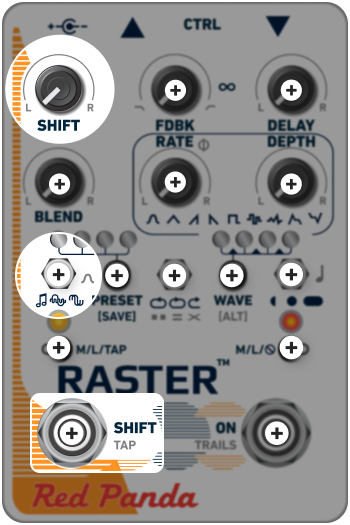
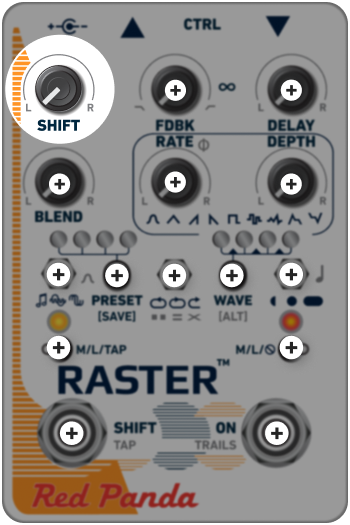
The SHIFT knob adjusts the amount of pitch, phase, or frequency shifting applied, while the toggle switch selects one of the three modes. These controls are only active if the SHIFT footswitch is on (left LED is orange).
When the knob is centered, pitch is at unison; turning to the left will lower the pitch or frequency, and turning to the right will raise it.
Use the toggle switch to select between the three shifting modes:
-
 TRANSPOSE Shift the pitch one octave up or down in semitone steps. This mode is useful for standard pitch shifting, arpeggiated delays, harmonized delays, and generating chords from single note lines.
 -
 DETUNE Smoothly shift from a 4th down to a major 3rd up, with emphasis on small pitch ratios. Small shifts create chorused or detuned sounds. When used with delay, subtle detuning will cause each repeat to change slightly, creating a natural evolution as the sound decays.
 -
 PHASE/FREQUENCY SHIFTING Adds phase shifting with the knob set near center; higher and lower settings use frequency shifting (single sideband modulation), which destroys the harmonic relationship between signal components. Each partial is shifted up or down by a fixed number of Hertz (0-500). With frequency shifting in the feedback loop, the harmonic structure of the notes is pulled farther apart with each repeat.
SHIFT BALANCE
Hold the WAVE [ALT] button while adjusting the SHIFT knob to access [ALT]-SHIFT, which allows you to alter the relationship between pitches on the left and right channels. Centering [ALT]-SHIFT sets equal shifts on both delay lines (which is the default). The behavior of the [ALT] SHIFT knob will vary based on which shift mode is selected:
TRANSPOSE
[ALT] SHIFT adjusts the right shift amount relative to the left shift amount, as set by the SHIFT control. The PRESET and WAVE LEDs will show the selection. For chords and inversions, the right shift amount will adjust as the SHIFT control is moved to maintain useful ratios.
or
Turning [ALT] SHIFT counter-clockwise from center will keep the left shift constant, while causing the right channel to change. Likewise, turning clockwise from center will keep the right channel constant, and only change the pitch shift amount on the left. The “changing” channel will move from the specified pitch to an inversion of that pitch; for example, if the shift for both channels is set to +1 semitone, the inversion would be -1 semitone.
Note: You can use the web editor or MIDI to turn on independent left/right shift, where the SHIFT control sets the left shift amount, and [ALT]-SHIFT sets the right shift amount.