
WAVE
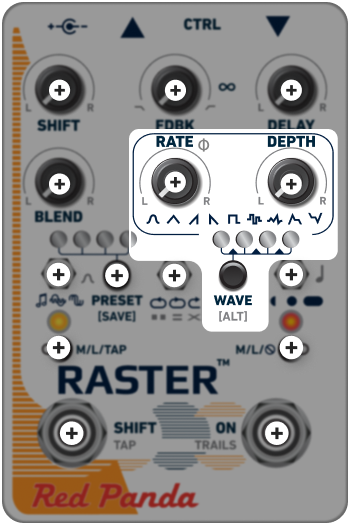
The wave switch selects the shape of the modulation:
 Smooth and non-linear, the sine wave is commonly used for chorus or flanging.
 The triangle wave offers a gradual, linear transition in both directions.
 A sawtooth combines a smooth/abrupt transition pattern commonly seen on synthesizers.
 A reverse sawtooth combines bursts of signal with gradual decay.
 A square wave jumps between two positions with no transition time.
 A random stepped wave can produce a unique chorus, or sequencer-like effects, depending on RATE and DEPTH values.
 The smooth random wave can produce a subtler, more organic feeling effect.
 Modulation increases as the signal decays; useful for dynamic flanging.
 Modulation decreases as the signal decays.
[ALT]
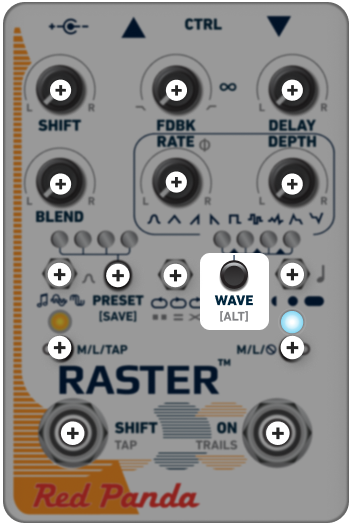
Many of the controls offer a secondary function. Holding [ALT] while adjusting controls with grey labels will give you access to these functions.
The main LED will turn light blue while you are accessing the [ALT] menu. When you release the [ALT] button, the LED goes back to red and the controls return to their primary functions.
You can also give the button a double tap to lock it while you make adjustments. When you’re finished editing within the [ALT] menu, tap the button again once to return to the primary menu.
The secondary function of a knob or switch is usually specific to that knob’s or switch’s main parameter.
Most of the [ALT] functions are for customizing the stereo field. If your rig is mono, the only [ALT] controls to consider are the left and right toggle switches, which control modulation assignment and delay divisions (respectively) and the upper middle knob, which introduces filtering for brighter or darker repeats.