
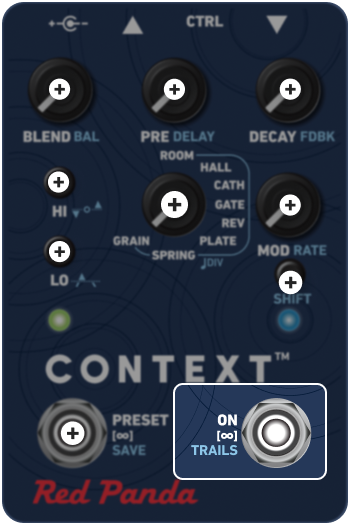
Tap to engage or bypass the effect. Context has four bypass modes:
DSP (Default) Dry signal and bypass pass through DSP. Context uses studio-quality A/D and D/A converters with low latency. A good choice in most situations.
ANALOG Dry signal passes through DSP when effect is on, and buffered analog signal path in bypass. Depending on the input signal, there could be a small click when the effect is engaged.
ANALOG + FX LEVEL Dry signal passes through a unity-gain analog signal path.
KILL DRY Dry signal is always muted. Useful for wet/dry parallel effects chains and mixer aux sends. BLEND acts as an effect level control, but keeps the same response as other modes.
Hold the switch to engage one of three reverb freeze effects, configurable using the web editor or MIDI:
FREEZE + LIVE DRY The current reverb is frozen and the live signal is dry. Switching algorithms will affect the live signal, while knob movements (such as modulation or EQ) will affect the frozen reverb.
FREEZE + LIVE REVERB The current reverb is frozen and the live signal is played through the same reverb (using a different reverb engine). Knob movements will affect the live reverb.
INFINITE SUSTAIN The current reverb is held with the input still active, causing sound to build up to saturation.
Toggle global trails setting on/off.
When trails are on, the reverb dies naturally when the pedal is switched to bypass or when switching between presets; when turned off, the effect is cut off or changed abruptly. Trails can be turned on or off at the preset level using our web-based editor. By default, presets use the global trails setting.
The right LED blinks green on startup to indicate if trails are active:
ON 4 short blinks
OFF 2 long blinks